Inspect faster. Deliver under your brand.
Built for crane, bucket truck, aerial lift, forklift, and other equipment inspection teams.
14 days free · No credit card · OSHA and ANSI-based checklists included
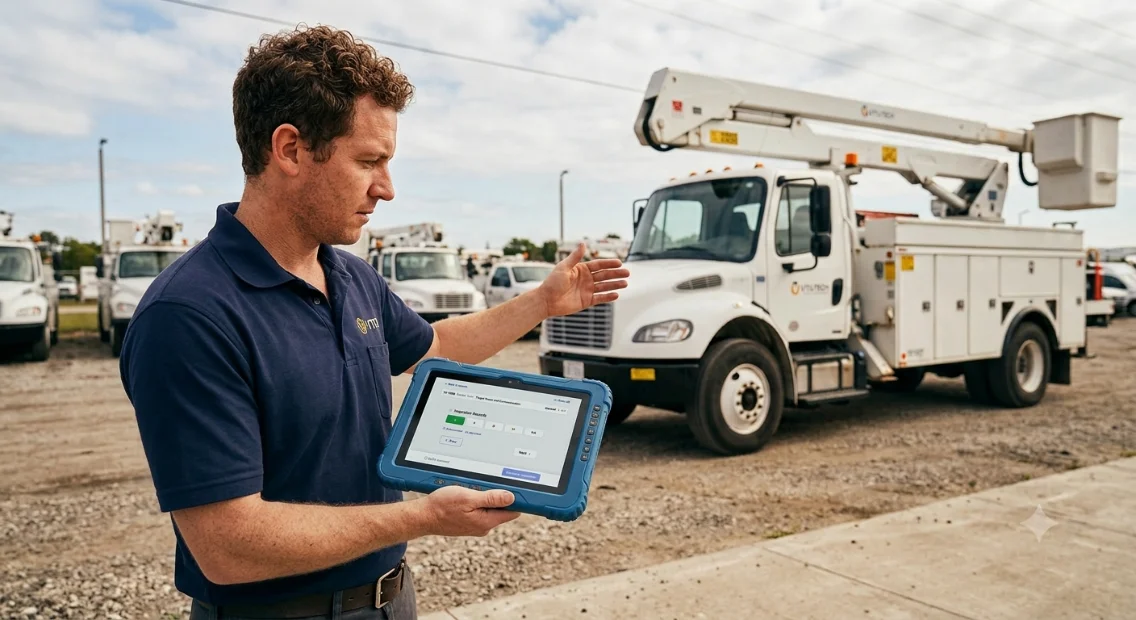
See the full workflow in two minutes.
Choose the equipment, complete the inspection, flag a deficiency, sign the report, and send it — all from the field. Built for a tablet in a gloved hand: big targets, one item at a time, and nothing typed twice.
+ 78 more questions across the rest of the report
Sign off

Your logo · your colors · your footer
Inspection Report
Unit 412 — 40-ton boom truck · Oct 17, 2026
This is the real inspection screen, replayed — not a screen recording.
Missed inspections can cost up to $16,550 per violation.
Keep inspections on schedule and keep the proof in one place. The right checklist, photos, signatures, completed reports, delivery history, and overdue reminders are all captured automatically — so your team can show the work was done and prevent the next inspection from being missed.
Three steps, start to sent.
Scan the machine.
Scan the QR code on the unit with the tablet, or choose the customer and the vehicle by hand. Either way the correct checklist loads on its own — no hunting for the right form.
Work down the checklist.
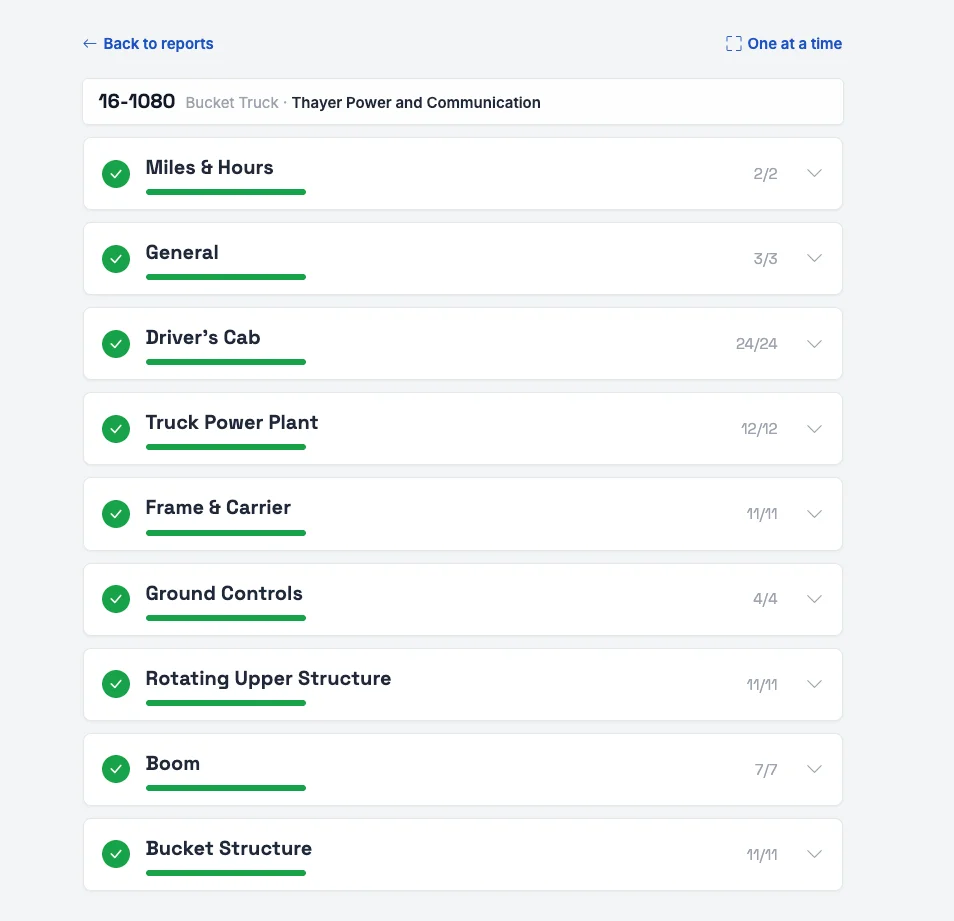
Two ways to work: full screen mode, one question at a time, or the full checklist on one page. Mark each item good, needs attention, or fail. Take a photo, add a note, sign on the screen.
Send the report.
Your logo, your colors, your phone number. Sent from the truck before you drive off — and next year’s inspection is scheduled the moment it goes out.
The faster way to run inspections.
Put your brand behind every inspection
Your logo. Your colors. Your footer. Every inspection report and customer email looks unmistakably like it came from your business — not a generic forms app.
Deliver polished, white-label PDFs your customers trust and recognize. You do the inspection; your brand gets the credit.
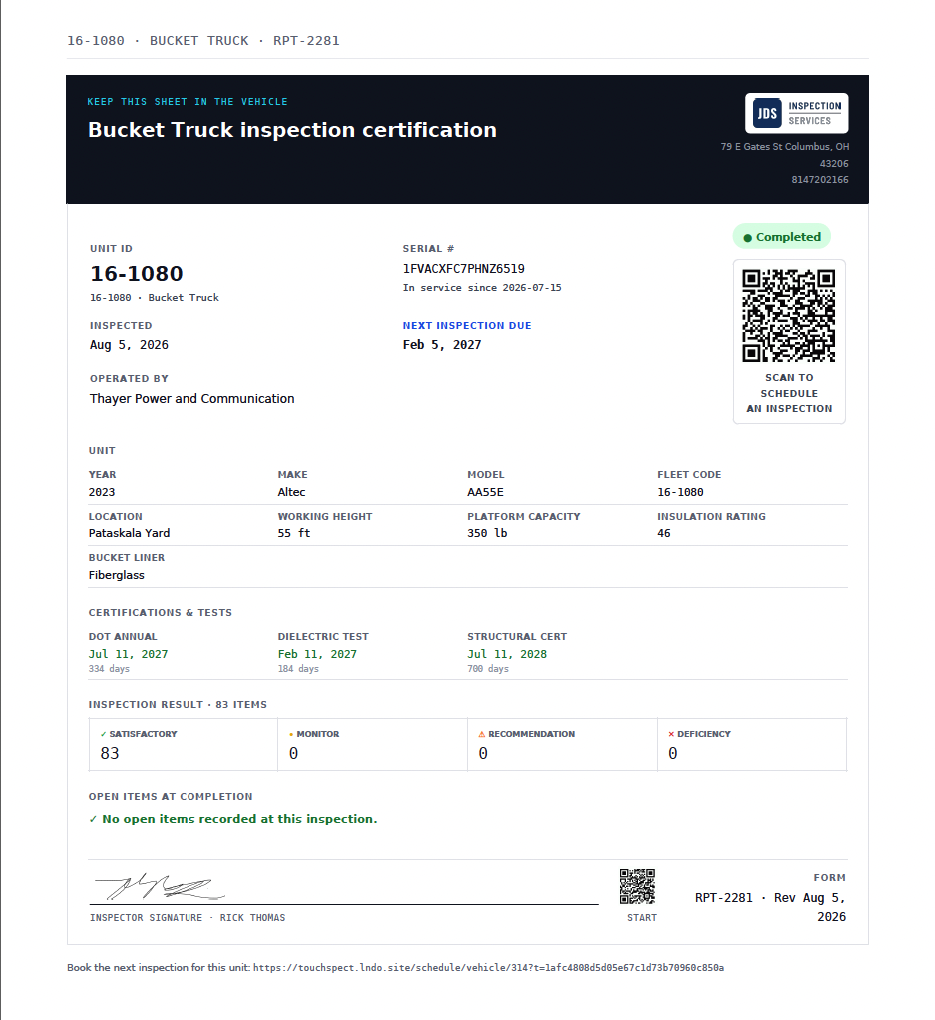
The report stays with the machine.
Leave the report receipt in the cab. Scanning its QR code opens the next inspection on that exact unit — the right checklist already loaded, last visit’s findings alongside it. No app to install, no login, no phone call to the office, and nothing typed that is already on file.
Built-in checklists guide your crew through the right questions for each machine type. Equipment details carry forward automatically, while photos, notes, signatures, and autosave keep every inspection complete — even with a dropped signal.
Complete the inspection. Send the proof. Move on.
Finish the inspection, hit send, and your branded PDF is on its way — without paper forms, retyping, or an office handoff.
Your crew moves to the next machine while the customer gets the report right away.
Turn inspections into recurring revenue.
Your inspection calendar refills itself
Set an inspection frequency once. After a report is completed, the next inspection is automatically calculated from that date — no spreadsheet updates, no manual follow-up, no missed recurring work.
See what’s coming due, what’s overdue, and where the next job is already waiting.
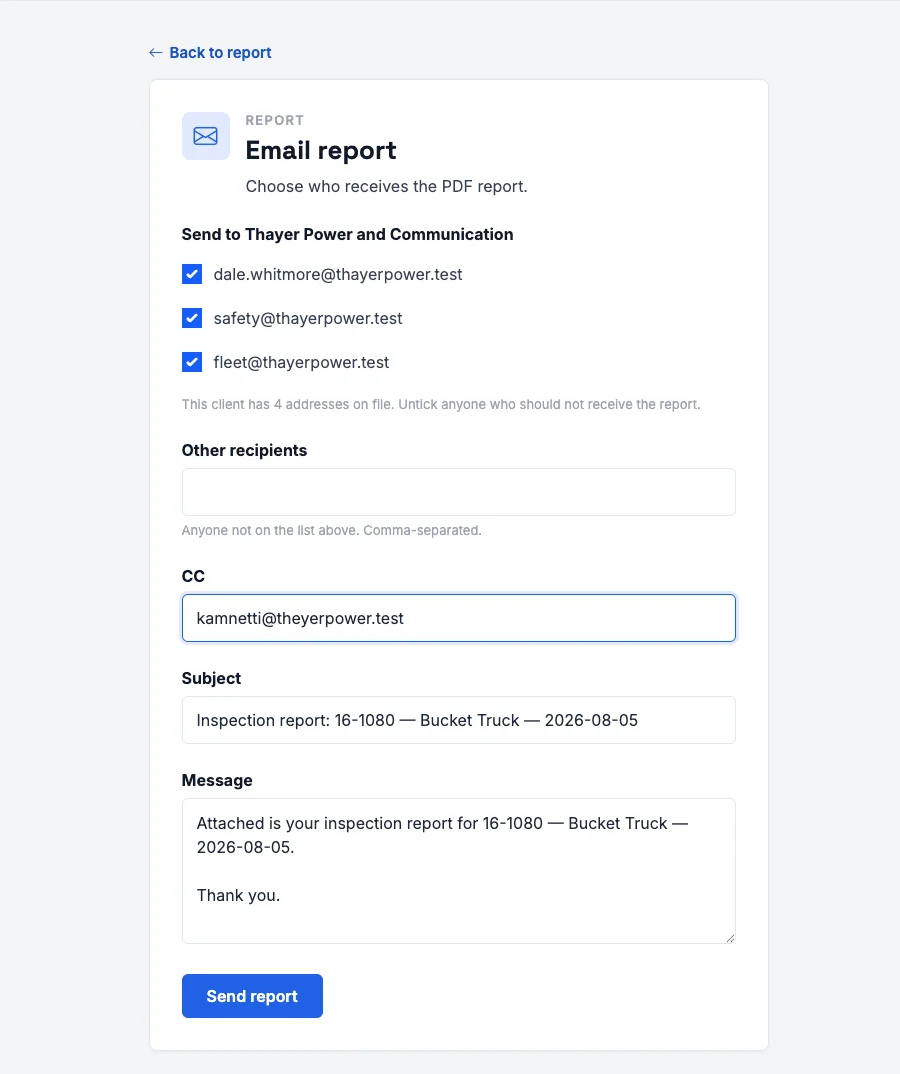
Every report available. Every delivery accounted for.
Give customers a portal to view their equipment, pull past reports, and request their next inspection — without calling your office.
Every report email is logged, so your team can see exactly who received it and when. No more digging through inboxes or re-sending PDFs just to prove a report went out.
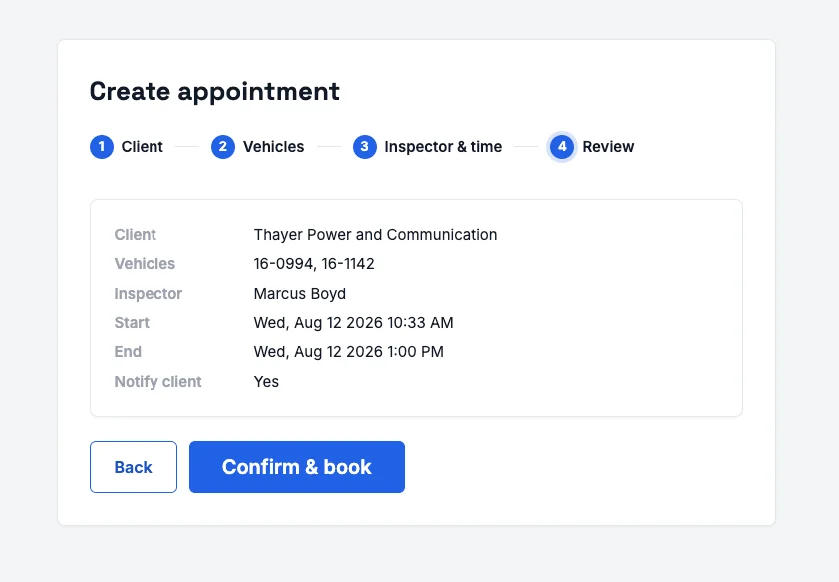
Approved appointments, automatically on your calendar
When an appointment is approved, it syncs to your team’s calendar automatically. No copying dates from emails, creating duplicate events, or relying on someone to remember the schedule.
Reschedule an appointment and your calendar stays current, so the office and field crew are always working from the same plan.
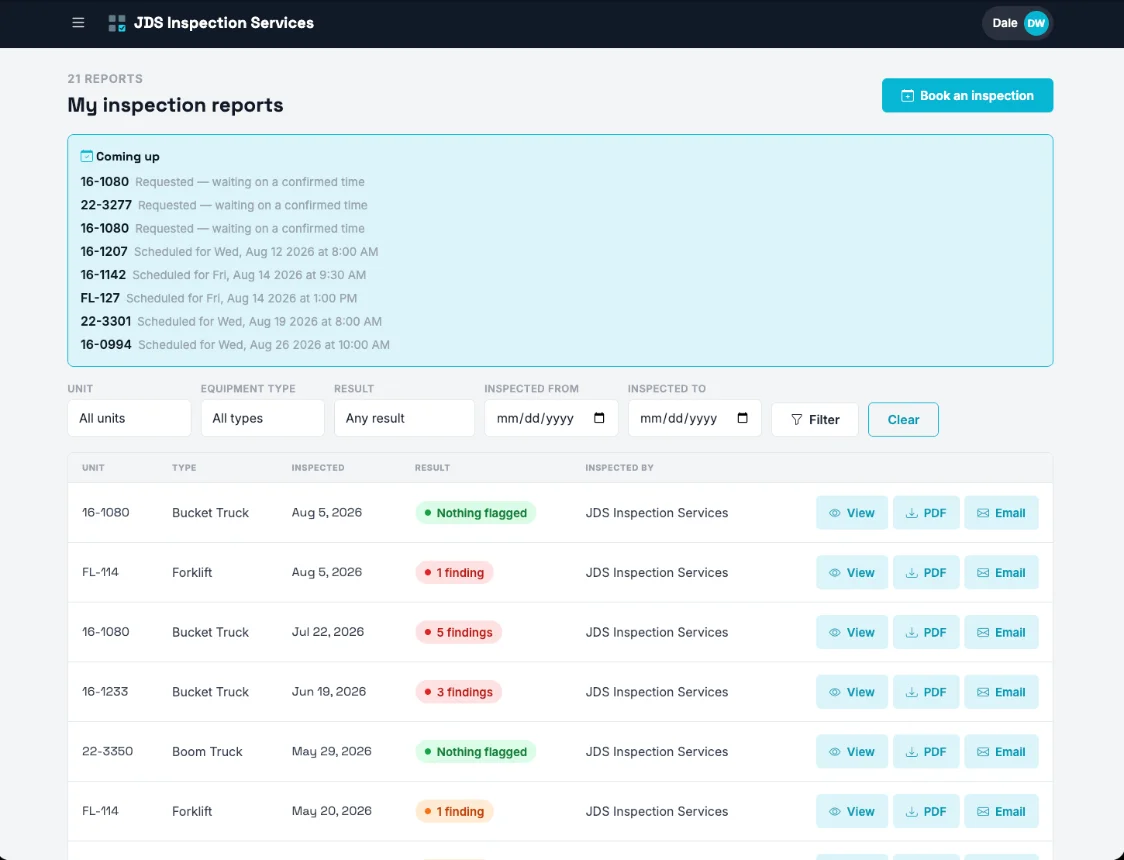
Run every inspection without the follow-up chaos.
Scheduling that keeps everyone aligned
Connect your scheduling workflow, send calendar invitations, manage reschedules cleanly, and automatically remind customers about upcoming inspections. Give prospects a public request form, then turn incoming requests into scheduled work without a pile of manual coordination.
OSHA compliance records you can stand behind
Every completed inspection produces the documentation an OSHA or ANSI audit asks for: the inspector of record, the signature, the certificate, and a log of every report sent or re-sent. When a customer asks what happened — or when the stakes are higher — you have a defensible record ready to share.
One team. Clear access. Separate data.
Invite team members, assign the right roles, and keep each customer account isolated from every other customer’s data. Your team gets the access they need to move quickly. Your customers get the confidence that their information stays theirs.
Pricing
Solo
- As many inspections as you can run
- Reports with your company name on them
- Every machine type
Crew
- Everything in Solo
- Customer access page
- Due-date tracking
Fleet
- Everything in Crew
- Connect Touchspect with your other office tools
- Someone picks up the phone first
Every plan starts with 14 days free. No credit card.
Questions
No. You sign up with an email address and a password. You only enter payment details if you decide to keep it after 14 days.
If they can use a phone, they can use this. One item at a time, buttons big enough for gloves, and no typing beyond a note here and there. Most inspectors are running it on their own by the second machine.
Yes. Answers, photos and signatures save on the tablet as you go. The report sends when the tablet finds a connection again.
Yes. Start from a built-in checklist and change the questions and answers, or build your own form from scratch.
Send us the spreadsheet of your customers and machines during the trial and we’ll load it with you.
On Crew and Fleet, yes. Each customer gets a page with their machines and reports, and can ask you for the next inspection from it.
They’re yours. Download every completed report as a PDF before you go, and your account stays readable for 30 days after you cancel.
Send your first report today.
An email address and a password is the whole sign-up. You can inspect a machine this afternoon.
14 days free · No credit card · Cancel any time
See a real report
A finished PDF from a boom truck pre-use inspection, with a company logo on it. We’ll email it to you.
On its way
Check your inbox in a minute. No follow-up unless you ask for one.